
Save Links to Notion From the Terminal With the Clipno CLI
Updated
clipno is a command-line tool — and a Claude skill — that saves any link to Notion or extracts a page into structured data, without opening a browser. Script it into a cron job, pipe it into another tool, or just ask Claude to save a link and it runs the CLI for you.
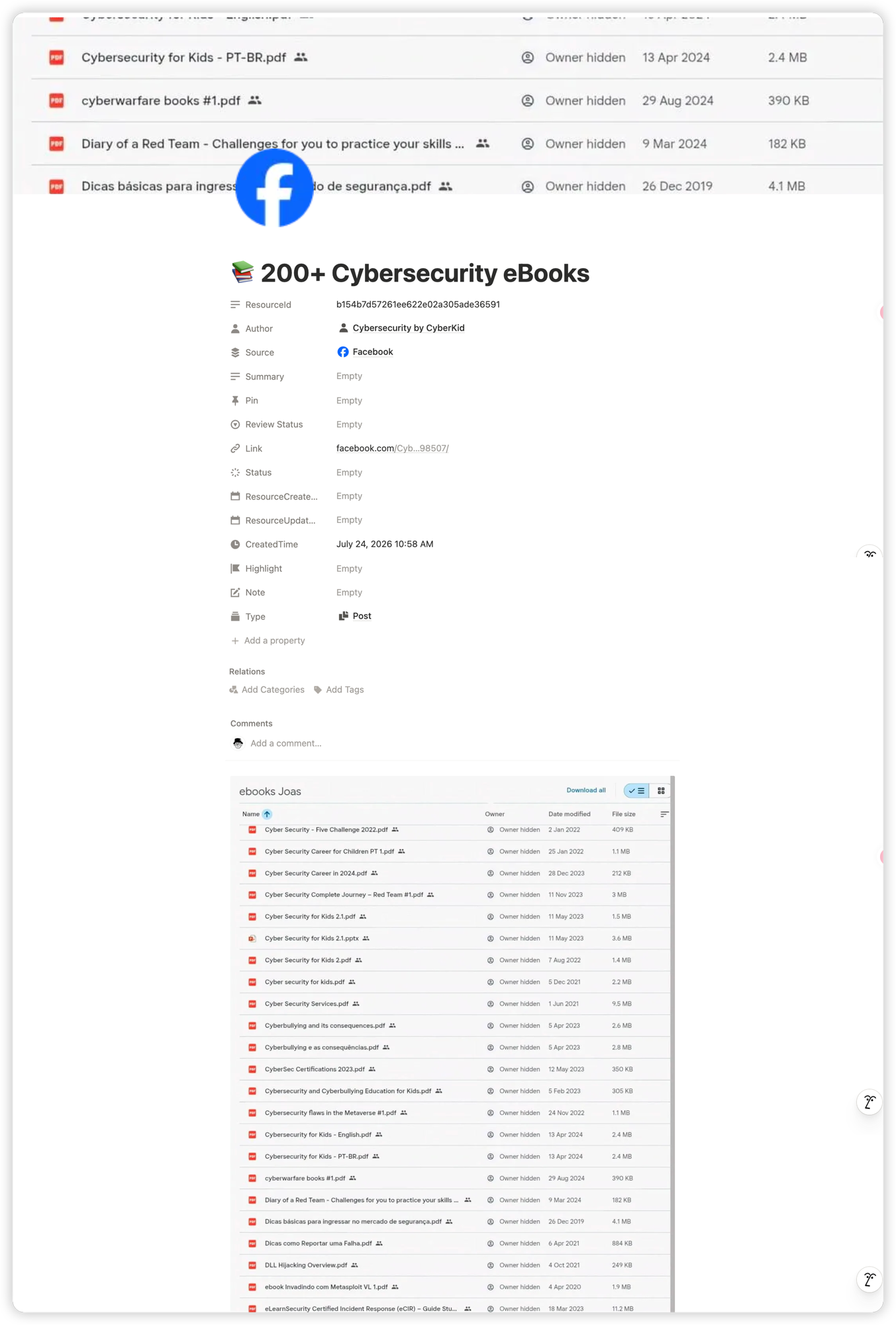
Short answer
Install the CLI with npm i -g clipno (Node 18+), run clipno login to connect your Notion workspace, then clipno save <url> saves any link to Notion and prints the new page's URL, or clipno extract <url> returns the page as structured JSON — title, author, tags, content and more. Prefer to stay inside Claude? Install the skill with npx skills add EwingYangs/clipno-cli and just ask: "save this link to Notion" or "extract this link" — Claude runs the CLI for you.
Two ways to use it: your terminal or a Claude skill
The CLI is a standalone npm package that runs on any machine with Node installed. Drop it into a cron job, a CI pipeline or a shell script, or chain it with other commands — it's an ordinary command-line tool.
The Claude skill is a different door into the same functionality. Install it with npx skills add EwingYangs/clipno-cli, and in any Claude session, saying "save this to Notion", "clip this link" or "extract this link" calls the same CLI behind the scenes — the behavior is identical in the terminal and inside Claude.
What you get from extract: structured data, not just a link
clipno extract <url> returns title, author, image, favicon, published date, tags, source, resource type and the full article as Markdown. Want just the text? Add --markdown to print only the article's Markdown.
Sites like X/Twitter, YouTube, Reddit, GitHub, WeChat and LinkedIn get specialized extractors that return cleaner structured data; everything else goes through a generic fallback pipeline. Pipe extract's JSON straight into a script, hand it to another tool, or let an AI agent look at what's on a link before deciding whether to save it.
Install clipno and save your first link
Setup takes about a minute: install, log in once, then save or extract from any terminal.
- 1
Install the CLI
Install globally with
npm i -g clipno, or run it without installing vianpx clipno. Requires Node.js 18 or later. clipno is open source — see the code on GitHub or the package on npm.npm i -g clipno - 2
Log in and connect Notion
Run
clipno login— it opens your browser to authorize on clipno.app, then saves a personal access token locally to~/.config/clipno/config.json. Check the connection any time withclipno whoami, and sign out withclipno logout.clipno login - 3
Save your first link
Run
clipno save <url>and clipno saves the page to your connected Notion database, then prints the new page's URL. Add--tags "a,b",--note "..."or--title "..."to set them yourself instead of letting clipno detect them.clipno save https://example.com/article --tags "reading,notion"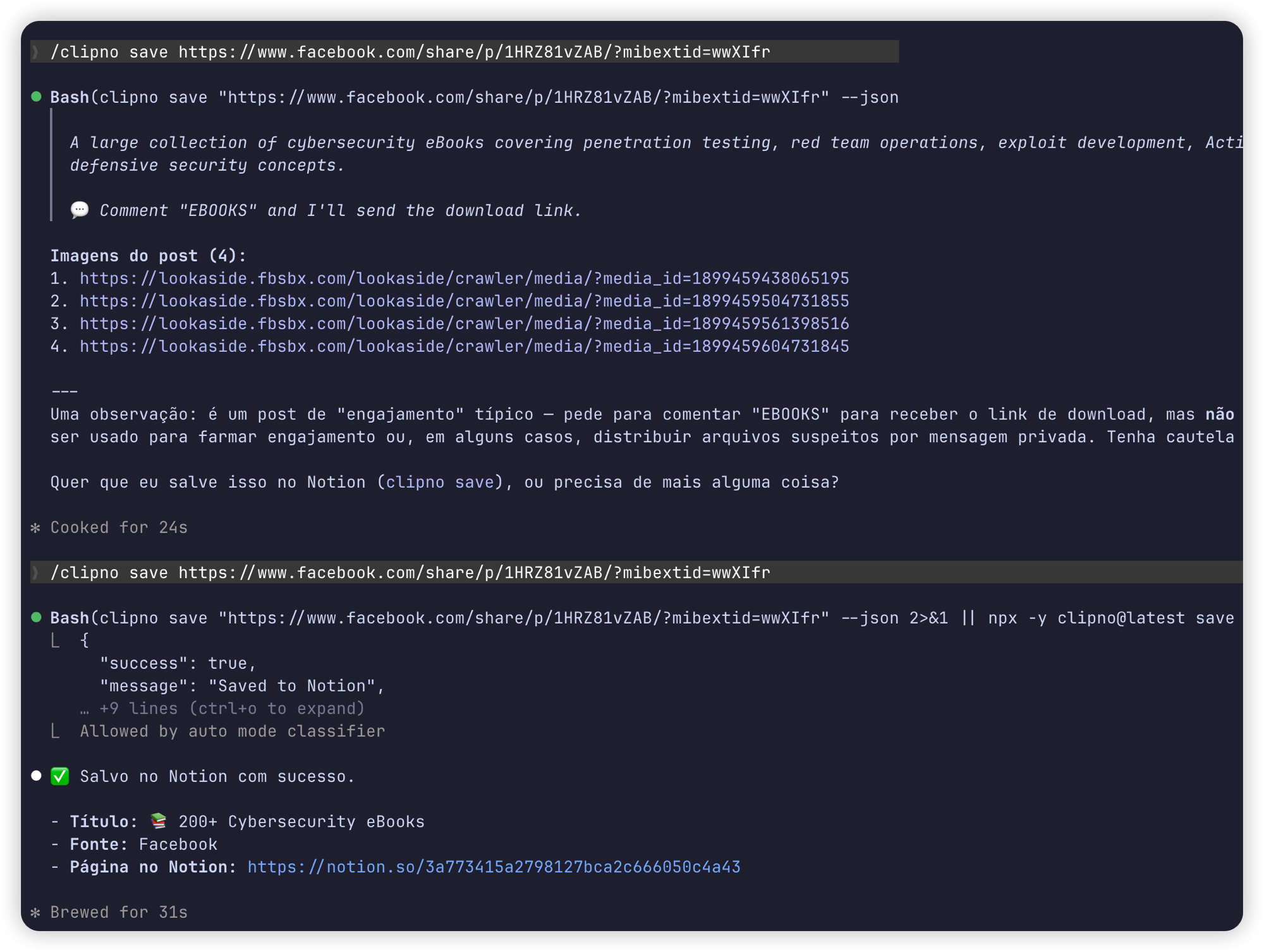
- 4
Extract a link into structured data
Run
clipno extract <url>to get the page back as JSON — title, author, image, favicon, publication date, tags, source, resource type and the full article as Markdown — without saving anything to Notion. Add--markdownto print just the article's Markdown.clipno extract https://example.com/article - 5
Let Claude do it for you
Install the skill with
npx skills add EwingYangs/clipno-cli, then in any Claude session just say "save this link to Notion" or "extract this link" — Claude runs the CLI on your behalf and shows you the result.npx skills add EwingYangs/clipno-cli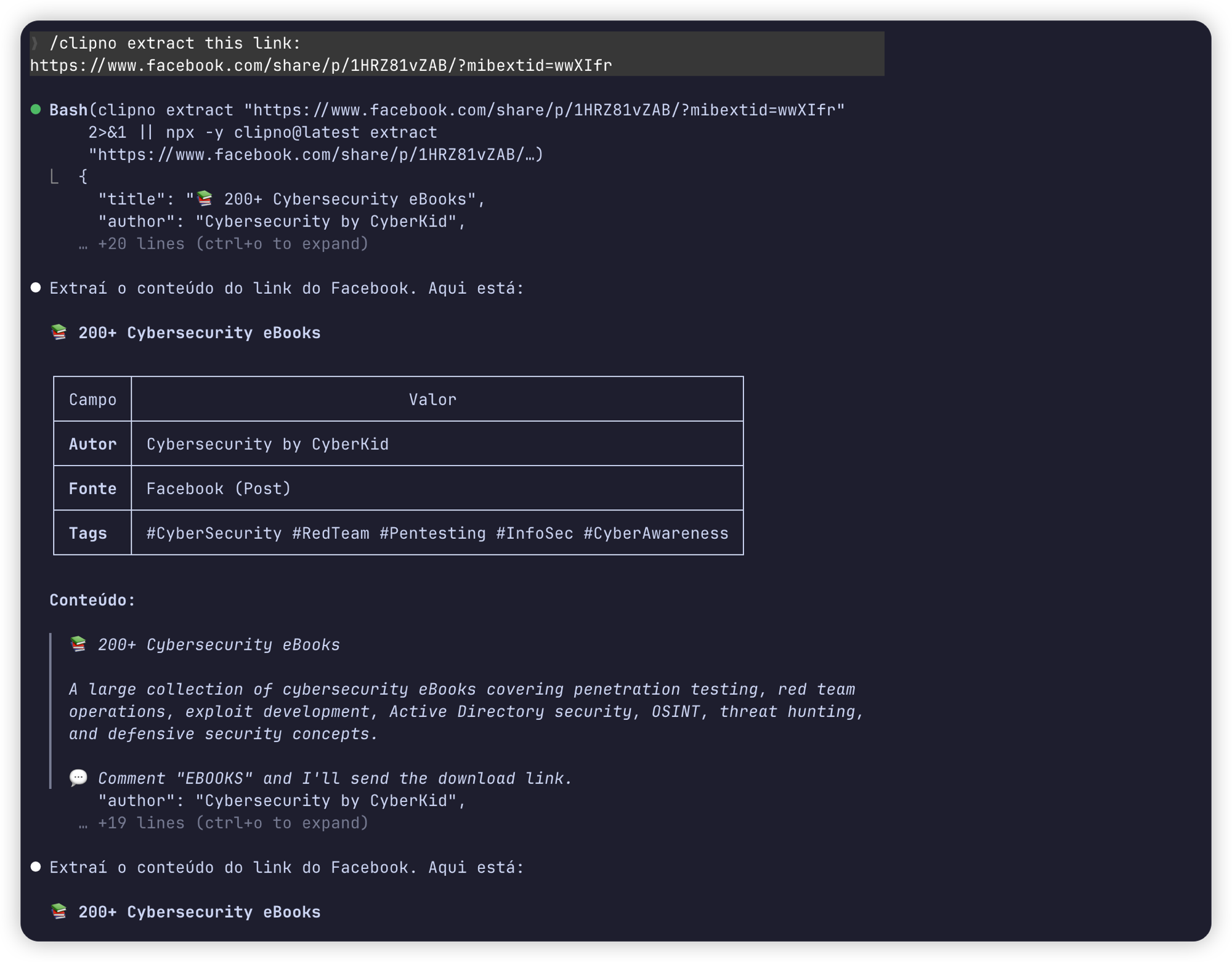
Tips and common pitfalls
- Running headless or in CI? Skip the browser flow with
clipno login --token <clipno_pat_...>or by setting theCLIPNO_TOKENenvironment variable — useful for cron jobs and pipelines. - Scripting? Add --json.
clipno save <url> --jsonprints machine-readable output instead of a plain summary, so you can pipe it straight intojqor another script. - Tokens are revocable. Manage and revoke personal access tokens any time at clipno.app/dashboard/tokens — useful if a CI secret ever leaks.
- Free plan covers 50 saves a month. That resets monthly; VIP/Pro removes the cap for unlimited saves.
- Extract doesn't touch Notion. It's a pure parser — pipe its JSON into another tool, summarize it, or decide what to do with a link before you save it.
Frequently asked questions
- Is the clipno CLI free?
- Yes. Installing and using it is free — the free plan includes 50 saves per month. VIP/Pro removes that limit for unlimited saves. Extract has no separate quota.
- Do I need a Notion account connected?
- Only for clipno save — connect a Notion workspace and database once at clipno.app/dashboard/notion, and every save after that writes there. clipno extract doesn't need any Notion connection at all; it only parses the page and prints the result.
- Does extract need Notion?
- No. extract is a pure parser: it fetches the URL and returns title, author, tags, content and more as JSON (or Markdown with --markdown), whether or not you've ever connected Notion.
- Which sites work well?
- Any public URL works through a generic fallback pipeline, but X/Twitter, YouTube, Reddit, GitHub, WeChat and LinkedIn get specialized extractors that return cleaner structured data.
- Is it open source?
- Yes. Both the CLI and the skill are open source on <a href="https://github.com/EwingYangs/clipno-cli" target="_blank" rel="noopener noreferrer">GitHub</a> — read the code, file an issue, or contribute.
Save links to Notion without leaving your terminal
Install clipno free from npm and connect your Notion workspace in under a minute — or add the Clipno browser extension if you'd rather clip with a click. It's open source on GitHub.