Chat With Your Notion Knowledge Base Using Claude (MCP)
Updated
You've been clipping articles, AI chats, PDFs and emails into Notion with Clipno. That's a real knowledge base — but it's only worth as much as your ability to get answers back out of it. This guide shows how to connect Notion to Claude with the official MCP connector and ask your clips questions in plain language. And you don't need a Notion AI subscription — Claude reads your Notion through the free, official MCP connector.
Short answer
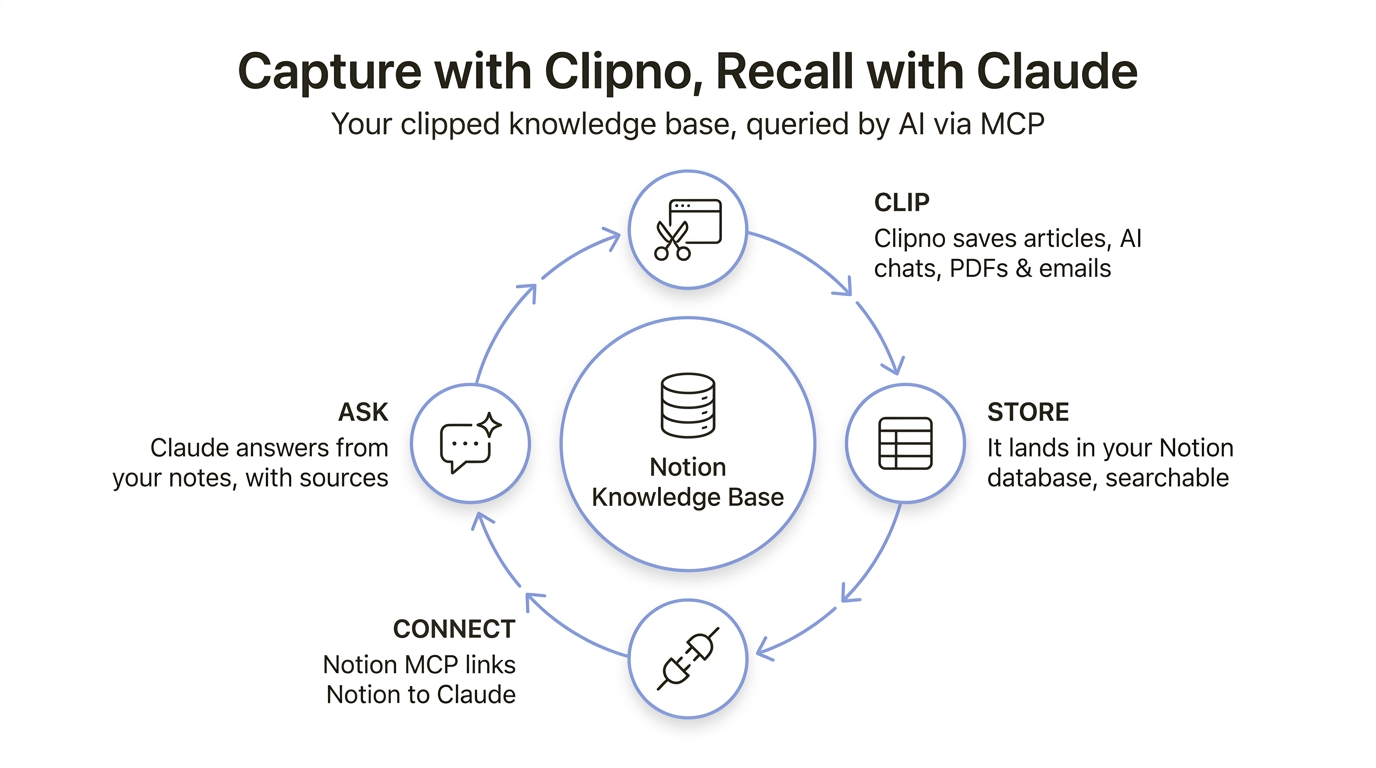
To chat with the Notion knowledge base you built with Clipno, connect Notion to Claude using Notion's official MCP connector: in Claude's Settings → Connectors, find the Notion connector and click Connect — no URL to type — then complete the one-time OAuth login. Then just ask — Claude searches your Notion, reads the relevant clips, and answers in plain language with links back to the source pages. In Claude Code, run claude mcp add --transport http notion https://mcp.notion.com/mcp instead.
A pile of clips isn't a knowledge base until you can query it
Capturing is the easy half. If you use Clipno, saving an article, a ChatGPT thread or a PDF into Notion is one click — and over a few weeks you build up hundreds of them. But saved is not the same as usable. The answer you need is in there somewhere; the problem is getting back to it on demand.
That's what MCP (the Model Context Protocol) closes. Notion ships an official MCP connector, so Claude can search and read your Notion workspace the same way you can — respecting your existing permissions. You ask a question in plain language; Claude finds the right clips, reads them, and answers with the sources. Your capture side (Clipno) and your recall side (Claude) finally join up.
Better answers come from a fuller knowledge base
The quality of Claude's answer is capped by what's in your Notion. Ask about a topic you've barely saved and there's little to draw on; ask about one you've clipped widely — the article, the follow-up thread, the PDF spec, the AI chat where you reasoned it out — and Claude can synthesize across all of it and cite each source.
So the highest-leverage habit is to keep feeding the knowledge base. That's where Clipno fits: one click to save the pages worth keeping from across the web — articles, docs, social threads, AI conversations, PDFs and emails — straight into the Notion database Claude reads. The richer your clips, the sharper the answers.
Connect Notion to Claude and query your clips
Three moving parts: a knowledge base (built with Clipno), the Notion MCP connector (links Notion to Claude), and a question. Setup is a one-time, roughly two-minute job.
- 1
- 2
Connect Notion to Claude
In Claude (web or desktop), open Settings → Connectors, find Notion in the directory and click Connect — there's no URL to type in. Complete the one-time OAuth flow: you log in to Notion and approve access, and the connector only ever has the permissions your Notion account already has. Prefer the terminal? In Claude Code, run this command and authorize with
/mcp:claude mcp add --transport http notion https://mcp.notion.com/mcp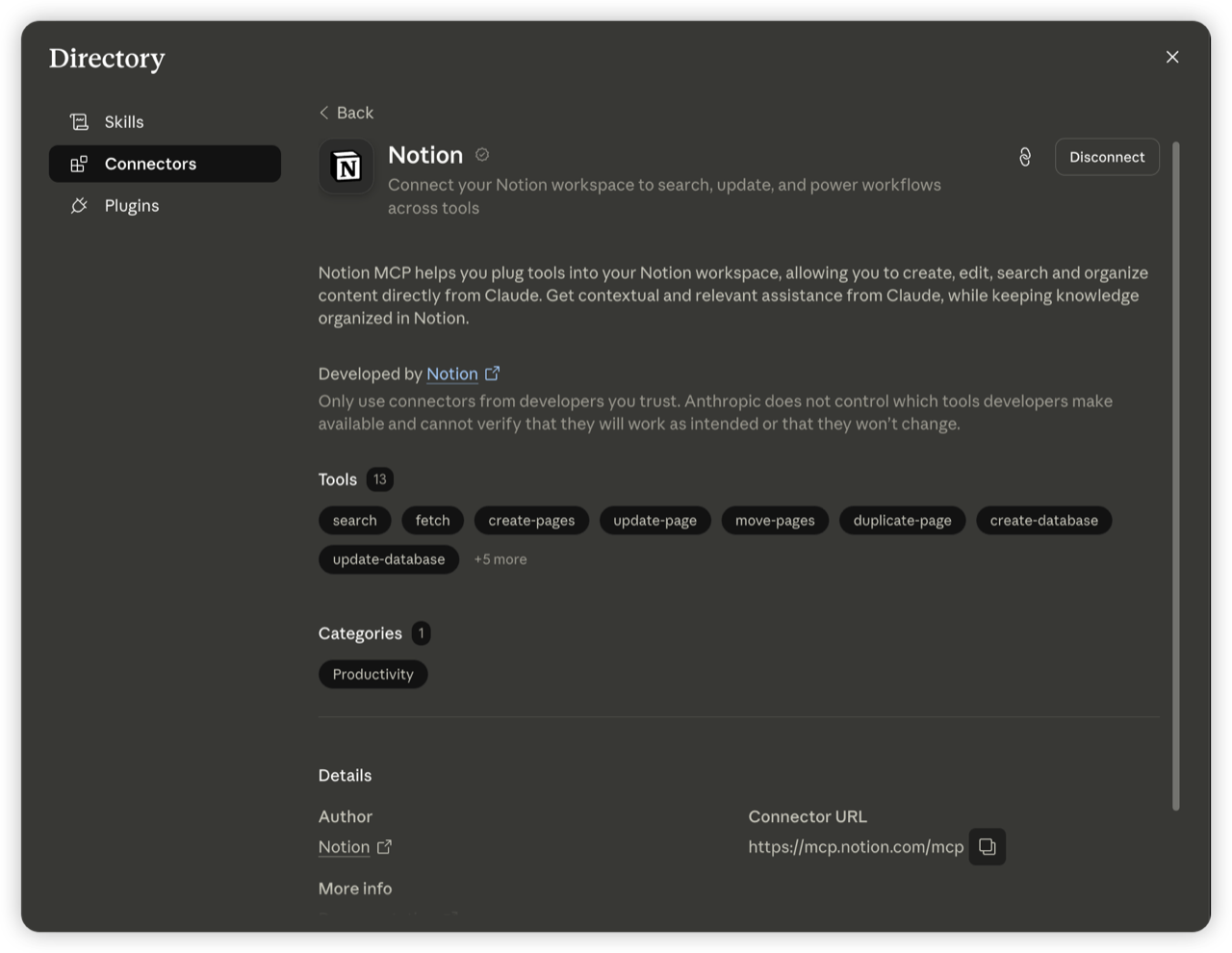
- 3
Ask your knowledge base a question
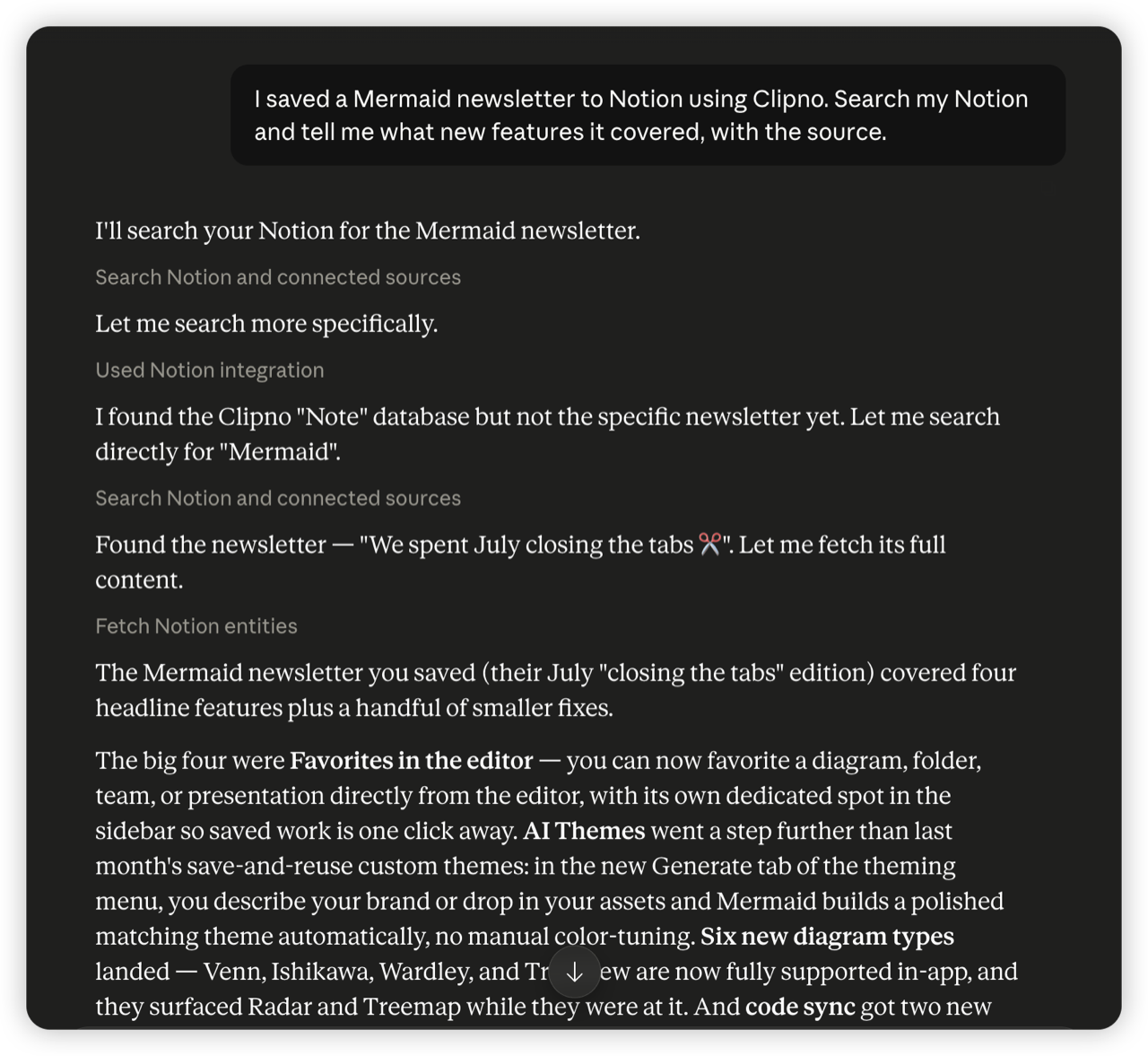
Now ask in plain language — no query syntax, no API keys. Name the thing you saved, and Claude will search Notion for it. For example: “I saved a Mermaid newsletter to Notion using Clipno. Search my Notion and tell me what new features it covered, with the source.”
- 4
Get answers with sources you can open
Claude searches your Notion, opens the matching clip, and answers in plain language — citing the Notion page it drew from so you can jump straight to the original. The knowledge you captured is finally doing work instead of piling up.
Tips and common pitfalls
- Prefer the terminal? In Claude Code, run
claude mcp add --transport http notion https://mcp.notion.com/mcp, then/mcpto complete the OAuth login. - It's not just Claude. The same Notion MCP connector works with Cursor, VS Code and ChatGPT — the setup pattern (add the connector, authorize) is the same everywhere.
- It respects your permissions. The connector acts as you: it can only see and change what your Notion account can. Nothing is shared beyond your own workspace.
- Name the source to get a clean hit. Mentioning the title, author or site you clipped (“the Mermaid newsletter”, “the PDF about X”) helps Claude search Notion straight to it.
- Capture more to recall more. The knowledge base is only as good as what's in it — the habit of one-click clipping with Clipno is what makes the querying worth doing.
Frequently asked questions
- Do I need Notion AI for this?
- No. Notion AI is a paid add-on for asking questions inside Notion. This method uses Claude instead, connected through Notion's free, official MCP connector — so you can chat with your Notion knowledge base without a Notion AI subscription.
- How do I connect Notion to Claude?
- In Claude's Settings → Connectors, find the Notion connector and click Connect, then complete the OAuth login — you do not type the URL, it is a directory pick. In Claude Code, run "claude mcp add --transport http notion https://mcp.notion.com/mcp" and authorize with /mcp.
- Do I need the Notion API or an API key?
- No. The MCP connector handles authorization through a normal OAuth login — you don't create an integration token or write any code. You log in to Notion once and approve access.
- Is it safe to connect Notion to Claude?
- The connector acts with your existing Notion permissions — it can only read and write what your own account can, and only within your workspace. As with any connector, only connect ones from developers you trust; this one is built by Notion.
- What can I actually ask?
- Anything about what you've saved: summarize a clipped article or AI chat, pull the key points from a PDF, find every clip about a topic, or compare a few. Claude searches your Notion, reads the relevant pages, and answers with sources.
- Does this work in Claude Code?
- Yes. Run "claude mcp add --transport http notion https://mcp.notion.com/mcp", then /mcp to authorize. After that you can query your Notion knowledge base from the terminal.
- How do I fill the knowledge base in the first place?
- Clip web content into Notion with Clipno — articles, ChatGPT/Claude/Gemini conversations, PDFs and emails, in one click. The blog guides above walk through each source. Clipno's free plan includes 50 saves per month.
Build the knowledge base worth querying
Install Clipno free and clip articles, AI chats, PDFs and emails into Notion — then let Claude answer from them via MCP. Comparing clippers? See how Clipno stacks up against Save to Notion.