
How to Save TikTok Videos to Notion
Updated
TikTok is where the actually-useful stuff hides — a recipe, a packing hack, a 60-second explainer that finally makes something click. But you Favorite it and never find it again. This guide shows how to save a TikTok video to Notion in one click, and how Clipno's newest feature can transcribe the video and add an AI summary so the content becomes searchable text.
Short answer
To save a TikTok video to Notion, install the free Clipno extension for Chrome or Edge, open the video on tiktok.com, and click the Clipno icon. The video — its title, creator, link and thumbnail — lands in your Notion database in one click. New: tick Save transcript and Generate AI summary before saving, and Clipno writes the video's spoken content and an AI summary into the same Notion page, so a TikTok you'd otherwise lose becomes searchable, readable text.
TikTok Favorites are where good videos go to disappear
You tap the bookmark on a video that actually taught you something — and that's the last time you see it. TikTok's Favorites have no notes, no tags and barely any search, and the For You feed buries everything within minutes. The value scrolls away, and half the time the video later goes private or gets taken down.
Saving the video into Notion fixes that: it becomes a real page in a database you can search, tag and link to the rest of your notes. And because a TikTok's whole point is the spoken content — the steps, the tip, the recipe — Clipno can go further and turn that video into text you can read and search, plus an AI summary, right inside the same page. A 60-second video you'll never rewatch becomes a paragraph you can act on.
Save a TikTok video to Notion in one click
Clipno reads the video straight from tiktok.com and writes it into Notion as a clean page — with an option to transcribe it and add an AI summary. Setup takes about two minutes.
- 1
Install the Clipno extension
Add Clipno to Chrome or Edge from the Chrome Web Store. The free plan includes 50 saves per month — no credit card required.
- 2
Connect your Notion workspace
Click the Clipno icon, sign in, and authorize the Notion workspace and database you want to save into. Clipno can also create a ready-made clips database for you.
- 3
Open the video on tiktok.com
Open the TikTok video you want to keep on tiktok.com — in the main feed or on the video's own page. Clipno reads it directly from the page, so short links (vm.tiktok.com) work too once the video opens.
- 4
Click Clipno — and tick transcript & AI summary
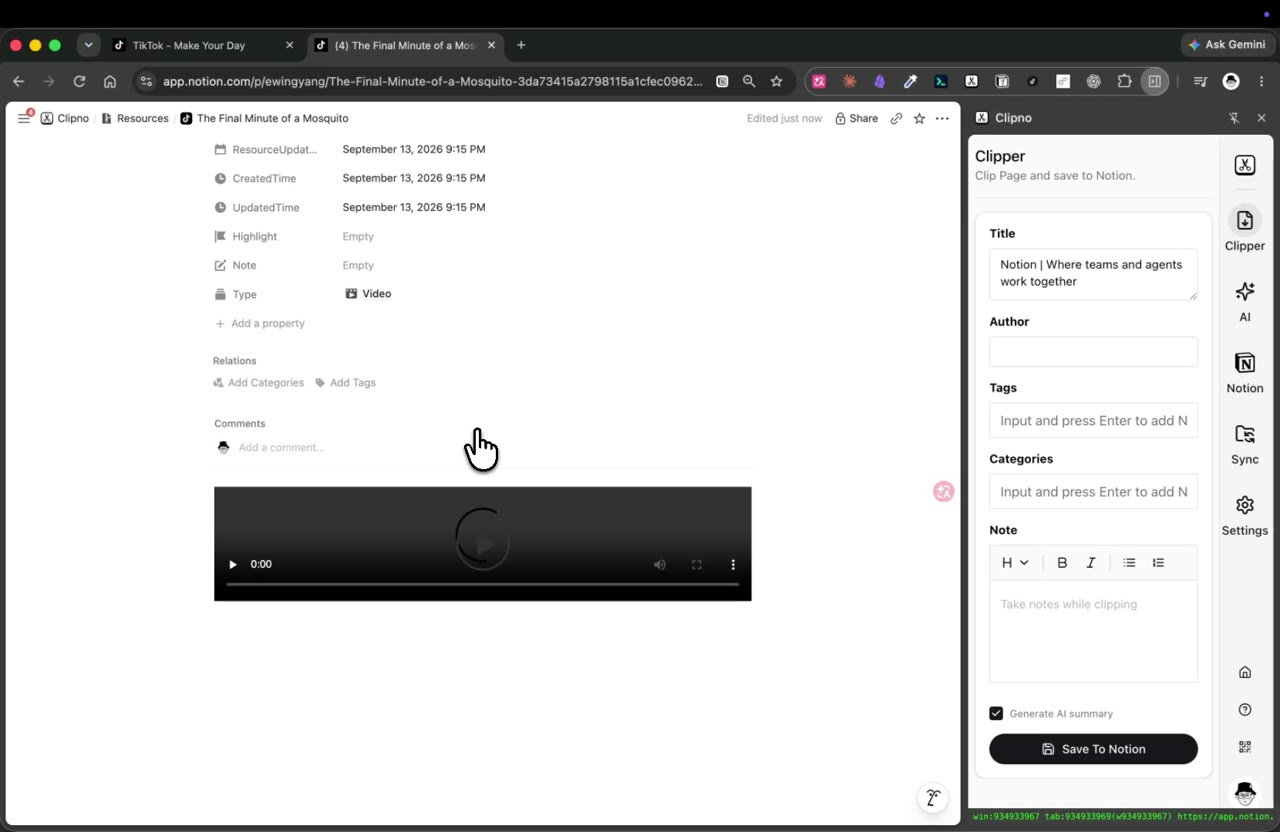
Clipno captures the video's title, creator, source URL and thumbnail. To keep what the video actually says, tick Save transcript to turn the speech into text and Generate AI summary for a short summary — then hit Save To Notion.
Saving a TikTok video to Notion with Clipno — the video is transcribed and AI-summarized into the same page. - 5
Find it in Notion — searchable, with the transcript
The video arrives as a new page in your database with the source URL in its properties. If you enabled them, the transcript and AI summary sit right there — so a tip you saw once is now readable, searchable text you can find by what was said in it.
Tips and common pitfalls
- Transcript + AI summary is the killer feature for TikTok. The value of a TikTok is in the 60 seconds of speech. Tick Save transcript and Generate AI summary, and Clipno reads the video for you and drops the steps and a summary into Notion — no rewatching, no pausing to scribble notes.
- Save it before it disappears. TikToks get set to private, region-locked or taken down constantly. Once the transcript is in Notion, what the video said is yours regardless of what happens to the upload.
- Turn your Favorites into a real library. Instead of an endless Favorites list you never revisit, each clip is a searchable, taggable Notion page next to the rest of your notes.
- It reads text inside images and videos, not just the caption. Tick Extract text from images to OCR screenshots and infographics into searchable text, and Save transcript to turn the video into text — both are written into the same Notion page and can feed the AI summary.
- The same one-click flow covers other social posts. Clipno also clips YouTube, Twitter/X, Instagram, Facebook, Threads, Reddit and more — one clipper for everything you save from social.
- On iPhone or iPad, the Clipno iOS app and Shortcuts save TikTok links from the share sheet, though transcript and AI summary are features of the browser extension.
Frequently asked questions
- How do I save a TikTok video to Notion?
- Open the video on tiktok.com and click the Clipno browser extension. The title, creator, link and thumbnail are written into your Notion database as a new page, no screen recording. You can also transcribe the video and add an AI summary in the same click.
- Can Clipno transcribe a TikTok video?
- Yes. Tick Save transcript before saving and Clipno turns the video's spoken content into text in the Notion page; tick Generate AI summary for a short summary above it. TikTok is one of the sources where Clipno can transcribe the video directly.
- Can Clipno turn images or screenshots into text?
- Yes. Tick Extract text from images before saving and Clipno runs OCR on the images and writes the recognized text into the Notion page, where it is searchable and can feed the AI summary.
- What if a TikTok is later deleted or made private?
- As long as you saved it before that, the transcript, summary and details are already in your Notion page — so you keep the content even when the original upload is gone.
- Is Clipno free?
- The free plan includes 50 saves per month with full feature access. Transcript and AI-summary generation have their own monthly free allowance; Pro raises the limits. Pro is $19.90 per year.
- Can I also save YouTube, Instagram or Twitter/X posts to Notion?
- Yes — the same one-click flow works for YouTube, Twitter/X, Instagram, Facebook, Threads, Reddit and many more sources.
Turn the best of TikTok into a searchable Notion library
Install Clipno free and save TikTok videos — with transcripts and AI summaries — straight into Notion. Comparing clippers? See how Clipno stacks up against Save to Notion.