
iOS Shortcut
Save to Notion from the iOS share sheet or a back-tap, in one tap
iOS Shortcut
The iOS Shortcut lets you save content to Notion straight from the share sheet of Safari, Twitter/X, YouTube, Reddit, Mail, or any other app — and also via a back-tap on your iPhone. No app to open, no confirmation screen: it’s the fastest possible path to your Notion workspace.
Before you start
- You’re signed in to your Clipno account.
- You’ve already authorized Notion — either in Web, the browser extension, or the iOS app. Any one is enough.
Install the shortcut
1. Download
Once signed in, open the Downloads page, find iOS Shortcut and click Download.
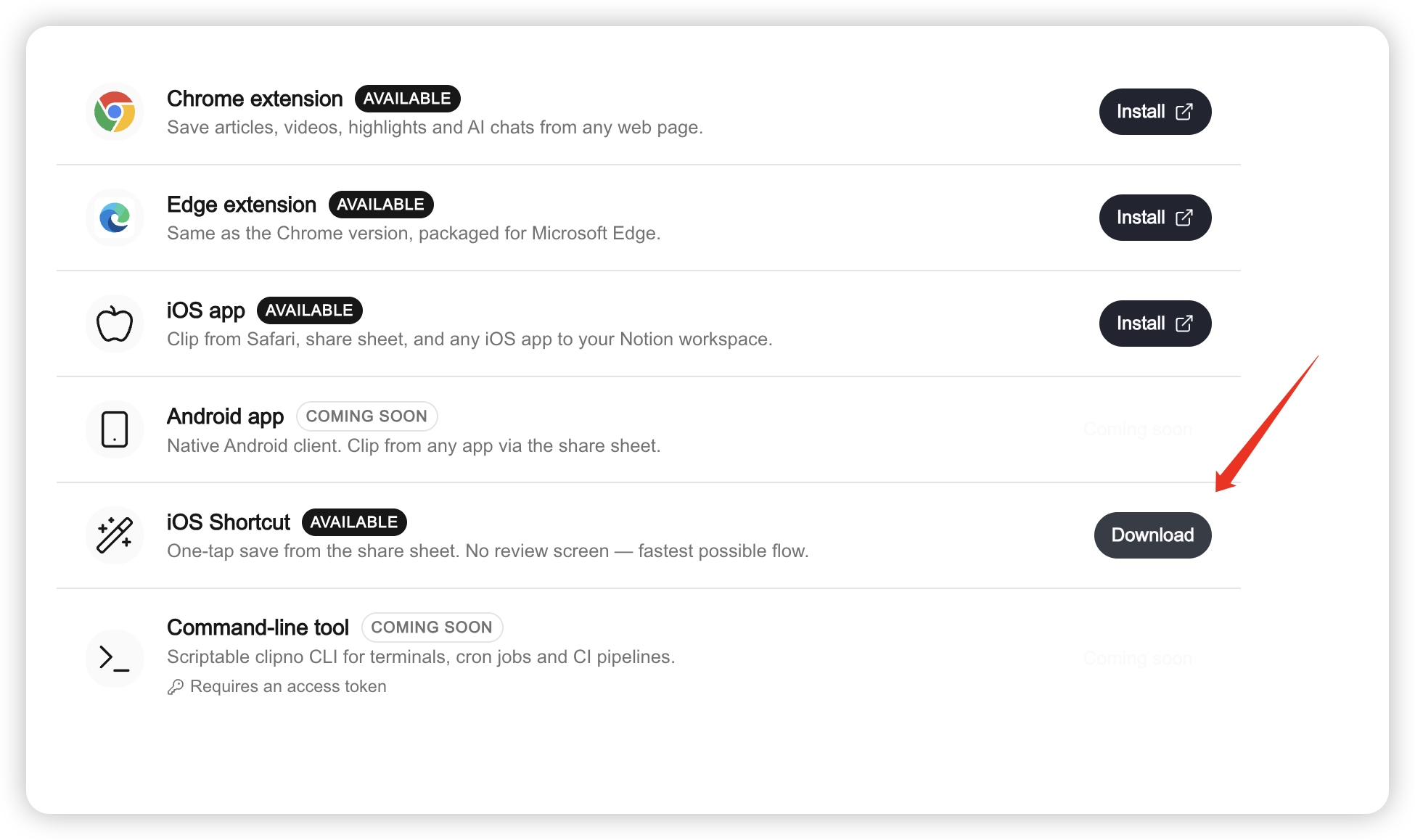
2. Create and copy your access token
A dialog asks you to name the token being created (defaults to “iOS Shortcut”). Click Create & download and Clipno will:
- generate a new access token (personal access token);
- start downloading
ClipToNotion.shortcut; - show the token in the dialog — shown only once, so click Copy right away.
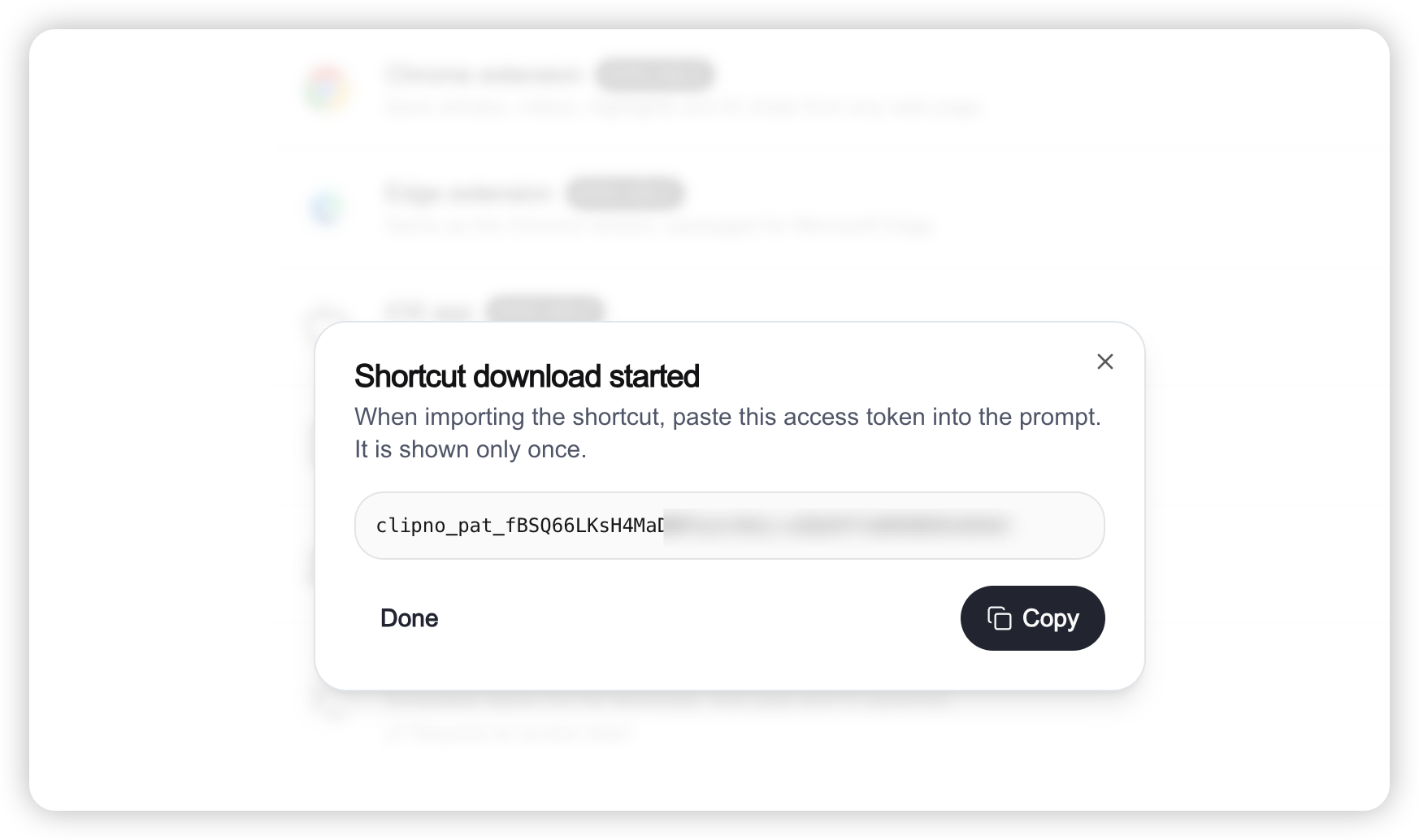
If you close the dialog before copying, just create a new token from the Tokens page.
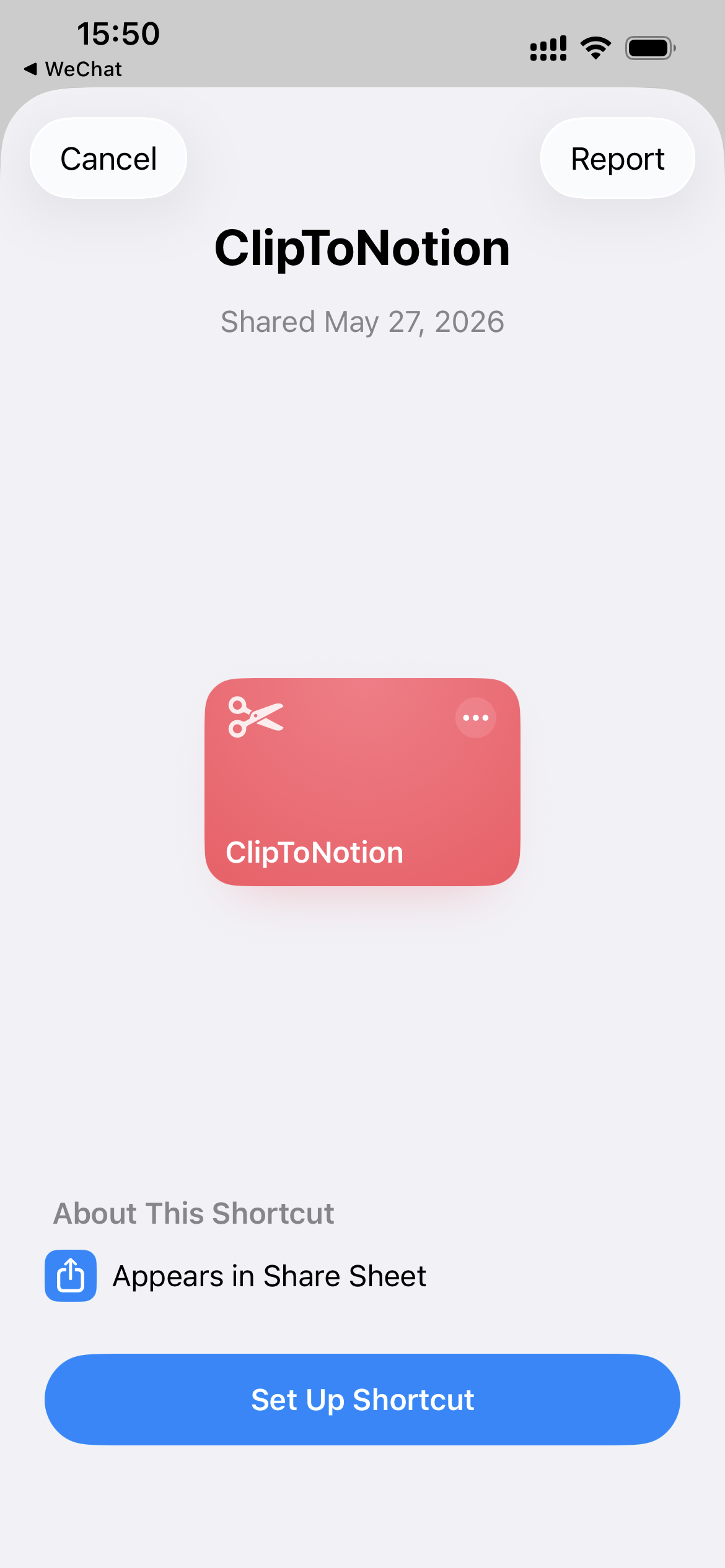
3. Import on iPhone / iPad
- Get the
ClipToNotion.shortcutfile onto your iOS device (iCloud Drive sync, AirDrop, email — anything works). - Tap the file on iOS — it opens directly in the Shortcuts app and starts the import flow.
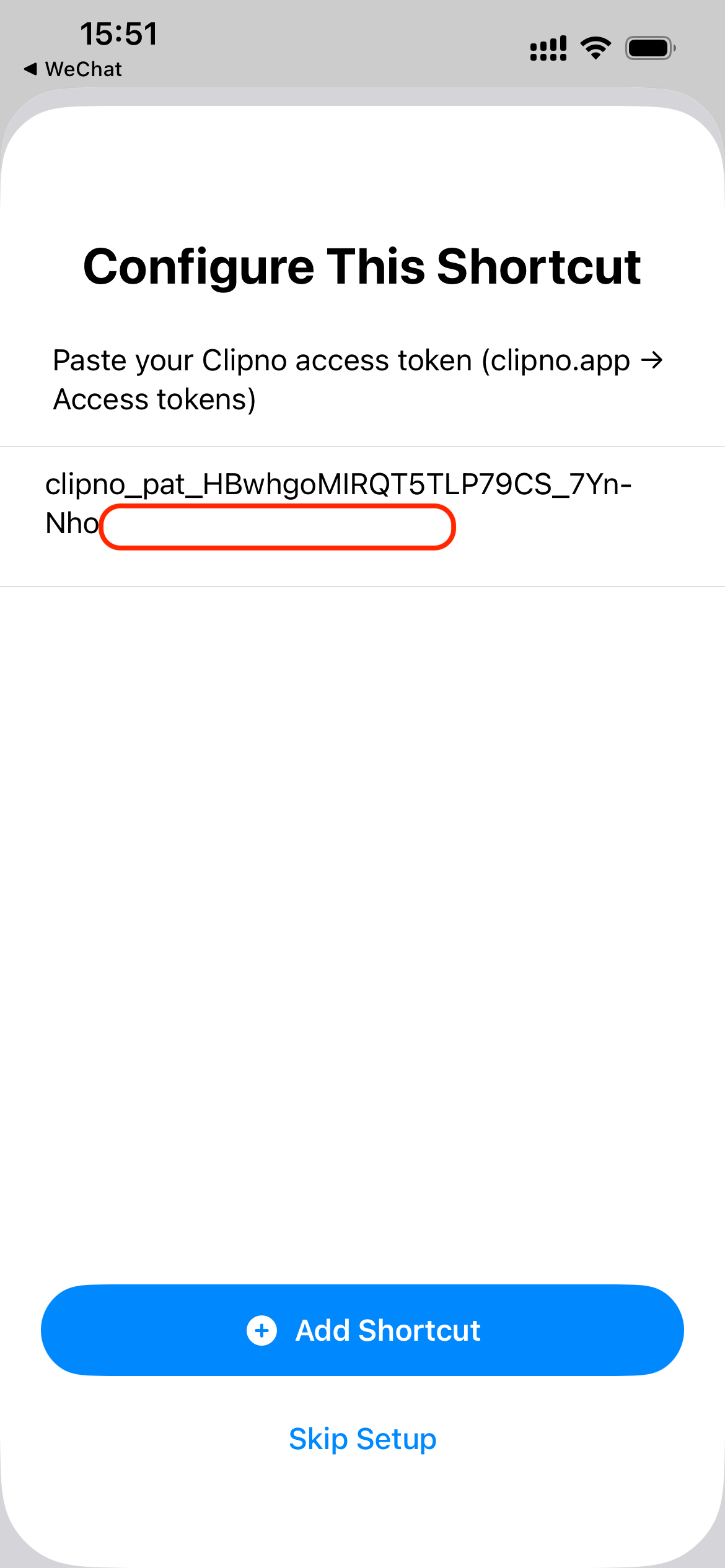
- During import you’ll be prompted to paste the access token — paste the token you just copied and tap Done.
- Accept any permission prompts. Clip to Notion now lives in My Shortcuts.
Use it from the share sheet
In Safari, X, YouTube, Reddit, Mail, News, or any other app with a system share button:
- Tap the system Share button.
- Choose Clip to Notion from the share sheet.
- No confirmation — you’re returned to the app immediately.
Clipno’s server extracts the title, content, tags and metadata, and the entry appears in your authorized Notion database within about a minute.
Set up Back Tap
iOS can run a shortcut when you tap the back of your iPhone (iPhone 8 and later).
- Open the Settings app.
- Go to Accessibility → Touch → Back Tap.
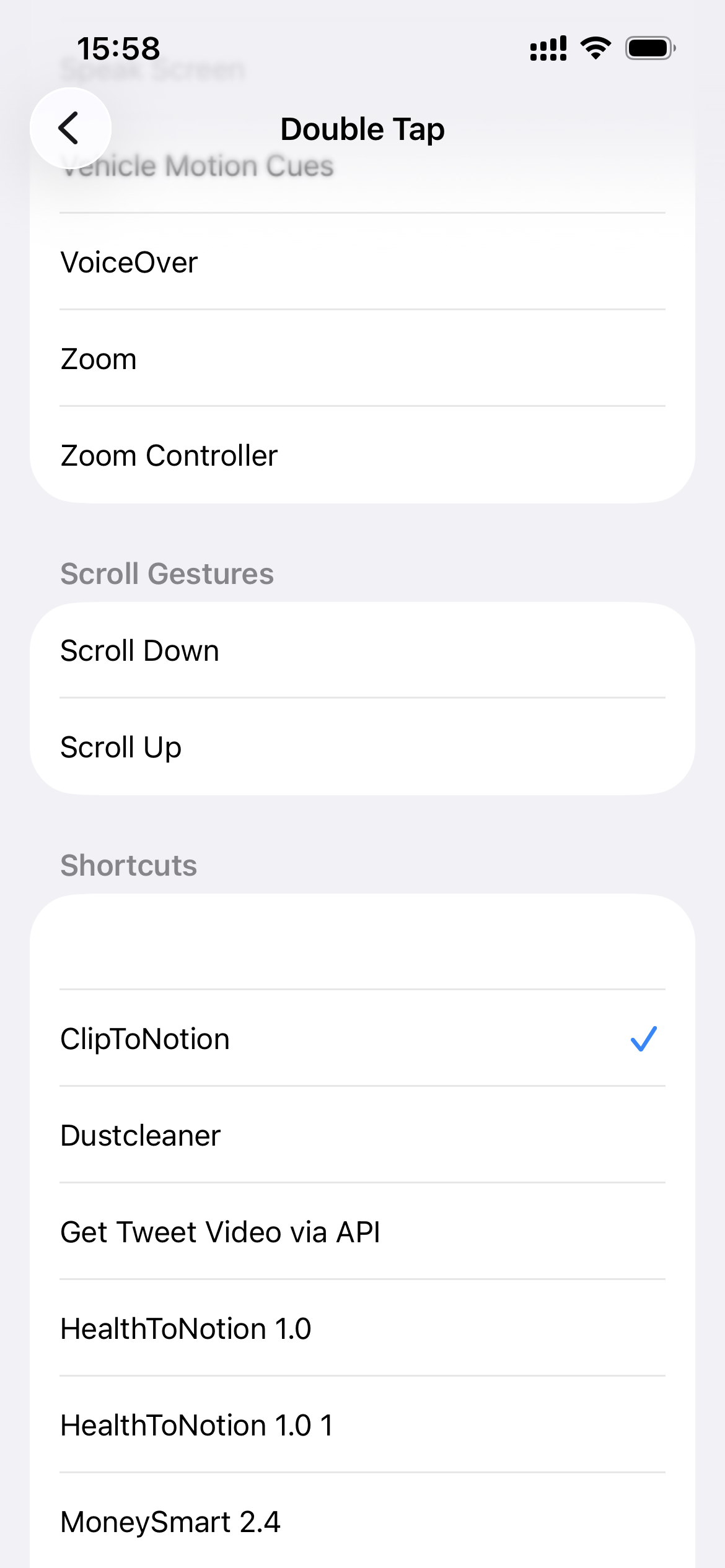
- Choose Double Tap or Triple Tap.
- Scroll down to the Shortcuts section and pick the Clip to Notion shortcut you just imported.
Now, in any app, tap the back of your phone to instantly clip what you’re reading or watching to Notion.
Paid plan
Just like the iOS app, the free plan can’t use the “Shortcut / iOS app” and the “browser extension” at the same time — on a free account, you can only keep one side active for any given period.
If you want the browser extension, the mobile app and the Shortcut to share the same Notion database across all your devices, upgrade to a paid plan:
After upgrading, everything saved from the extension, the app and the Shortcut flows into the same Notion database — seamlessly synced everywhere.